yeke.io · docs
Connecting a cluster
Connect a cluster through an agent or a kubeconfig. Both use the same screens and operation flow, but credential storage and identity mapping differ.
Which mode
Choose a connection mode when adding a cluster.
| Agent mode | Direct kubeconfig | |
|---|---|---|
| Where the credential lives | Stays in the cluster. It never reaches the centre. | In core, encrypted with AES-256-GCM. |
| Connection direction | Outbound WebSocket tunnel, cluster → core. | core → apiserver, directly. |
| If core is compromised | This cluster is not compromised. | This cluster counts as compromised too. |
| Setup | One kubectl apply in the cluster. | Uploading one file. |
| Precondition | YEKE_PUBLIC_URL must be correct. | — |
| Role separation | Works: the YEKE role maps to a Kubernetes group. | None: everyone acts as the same kubeconfig identity. |
Agent mode is the recommendation for clusters with a high confidentiality class. Role separation also only works out of the box there; in direct mode, if you want per-person separation, you write a personal binding.
Agent mode
A small agent is installed in the cluster and dials out to core on its own.
- 1 · Name the cluster on screen and choose an access mode (below).
- 2 · Run the given command against the target cluster — the manifest is served
from a URL carrying a single-use ticket:
kubectl apply -f "<the URL shown on screen>"
- 3 · The tunnel establishes itself. The cluster shows up as connected.
Two access modes
| Mode | What it does | When |
|---|---|---|
| Full | The agent may impersonate any username; the two groups matching YEKE's roles and their bindings are installed as well. | When you intend to manage the cluster through YEKE. |
| Restricted | The list of impersonable users and groups is written into the manifest; nothing outside it can be assumed. | When you want to draw the ceiling yourself. The list cannot be empty. |
The agent’s own permissions are limited to reads, discovery and impersonation, with no writes or Secret access. User requests carry impersonation headers. Kubernetes checks the resulting identity against RBAC. Permission details →
If core's certificate is signed by your organization's own CA, a "Download the CA"
link and the piped-ca form (curl --cacert) appear above the command on
screen; see Internal CA for details.
On clusters installed with Kubespray or kubeadm, the kubelet's server
certificate is self-signed by default; the Monitoring page shows "TLS not verified" for that
node. The "Accept unverified TLS" button at the end of that strip takes the acceptance
through the approval card and writes it onto the agent Deployment
(YEKE_KUBELET_INSECURE_TLS=true); the agent restarts and the chip clears within
a minute. The lasting fix is kubelet serving certificate rotation
(serverTLSBootstrap on kubeadm, kubelet_rotate_server_certificates
on Kubespray).
The mode can be changed later: rotating the agent token regenerates the manifest and drops the open tunnel; you then apply the new manifest.
Direct kubeconfig
Upload a kubeconfig to connect without an agent. The credential is stored in core.
- 1 · Upload or paste the kubeconfig. If it holds several contexts you pick the one to use.
- 2 · YEKE measures the connection — it asks the apiserver who this credential is and puts the answer on screen. Not the configuration's claim: the apiserver's answer.
- 3 · Confirm. The confirmation card says outright that the credential will be stored in core.
There is no role separation in this mode: every YEKE user acts as the same kubeconfig identity and the apiserver's audit trail loses the distinction between people. YEKE's own trail still records who pressed the button. If you want that distinction at the cluster level, write a personal binding.
After connecting
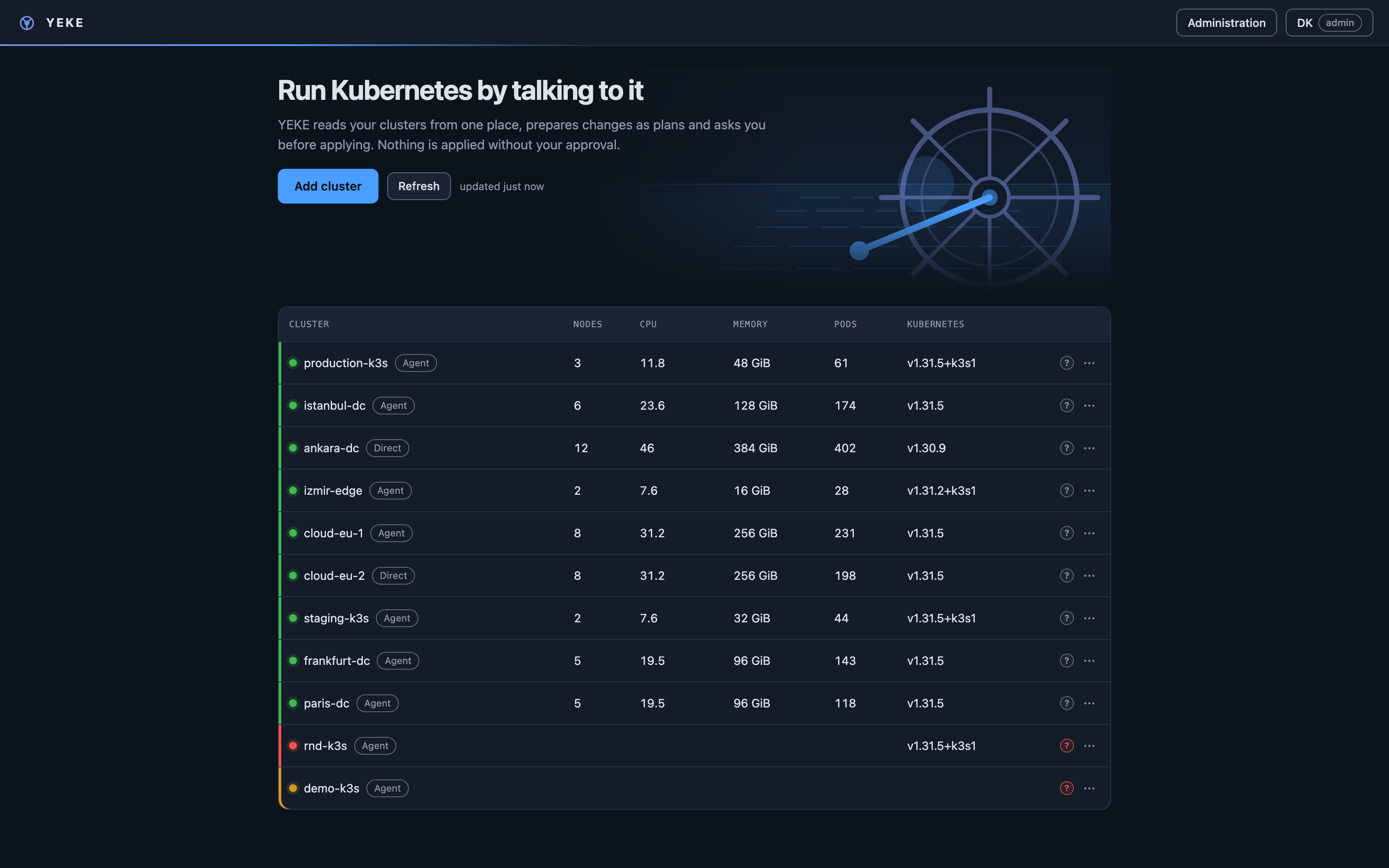
- The inventory shows whether each cluster is connected, plus its Kubernetes and agent version.
- Permissions are the next step: connecting a cluster does not grant anyone the right to write to it.
Permissions come next.
The connection is ready. Next, check users’ Kubernetes identities and RBAC permissions.